FAQ
FMD is not working in the background, only when I open the app
For some users, FMD does not work in the background:
- When you send a command to the phone, it only handles it and only replies when the display is on, or when FMD is opened.
- The regular background location upload runs less often than the interval configured in the settings.
If this happens, make sure that:
- You have enabled "Ignore Battery Optimizations" for FMD.
- (Maybe) You have not enabled the system-wide battery saver.
Both of these options are known to sometimes interfere with FMD's ability to start a service from the background.
Additional information
On ROMs that are close to vanilla AOSP (Pixel stock, LineageOS, GrapheneOS, CalyxOS, etc.), this should not happen. It did happen in the past due to a bug in how FMD used the JobScheduler API, so feel free to report a bug.
Other ROMs often have modifications that prevent background jobs from running. If you are on a non-vanilla ROM (Samsung stock, Xiaomi stock, OnePlus stock, etc.) please first check out https://dontkillmyapp.com/ before asking in the chat or reporting a bug.
And before you ask: yes, Android has Doze. That's why FMD uses JobScheduler to schedule short and/or regular background jobs. For historical reasons, we started with JobScheduler and have not yet migrated all code to WorkManager. But under the hood WorkManager uses JobScheduler, so it shouldn't make a difference. For executing commands, FMD Android 0.14.0 and later uses foreground services through WorkManager.
The problem is that only vanilla AOSP handles Doze correctly, other vendors add additional restrictions on top of it.
If you are using FMD Server, make sure that your UnifiedPush distributor app (Sunup, ntfy, ...) can run in the background.
If in doubt, check the logs in the FMD app. Does FMD receive a push notification? Does it start handling the command but then abort? Try to narrow down where it fails.
I cannot grant FMD some permissions
Android 15 has made it harder to grant permissions that are often abused by malware. Relevant for FMD, this includes: SMS, Display over other Apps, Device Admin. To fix this:
- Go to the FMD app details in the OS settings.
- Click on the three-dot overflow menu.
- Click "Allow restricted settings".
See also:
- https://www.androidauthority.com/android-15-enhanced-confirmation-mode-3436697/
- https://www.androidauthority.com/android-15-restricted-settings-sideloading-3481098/
Screenshots
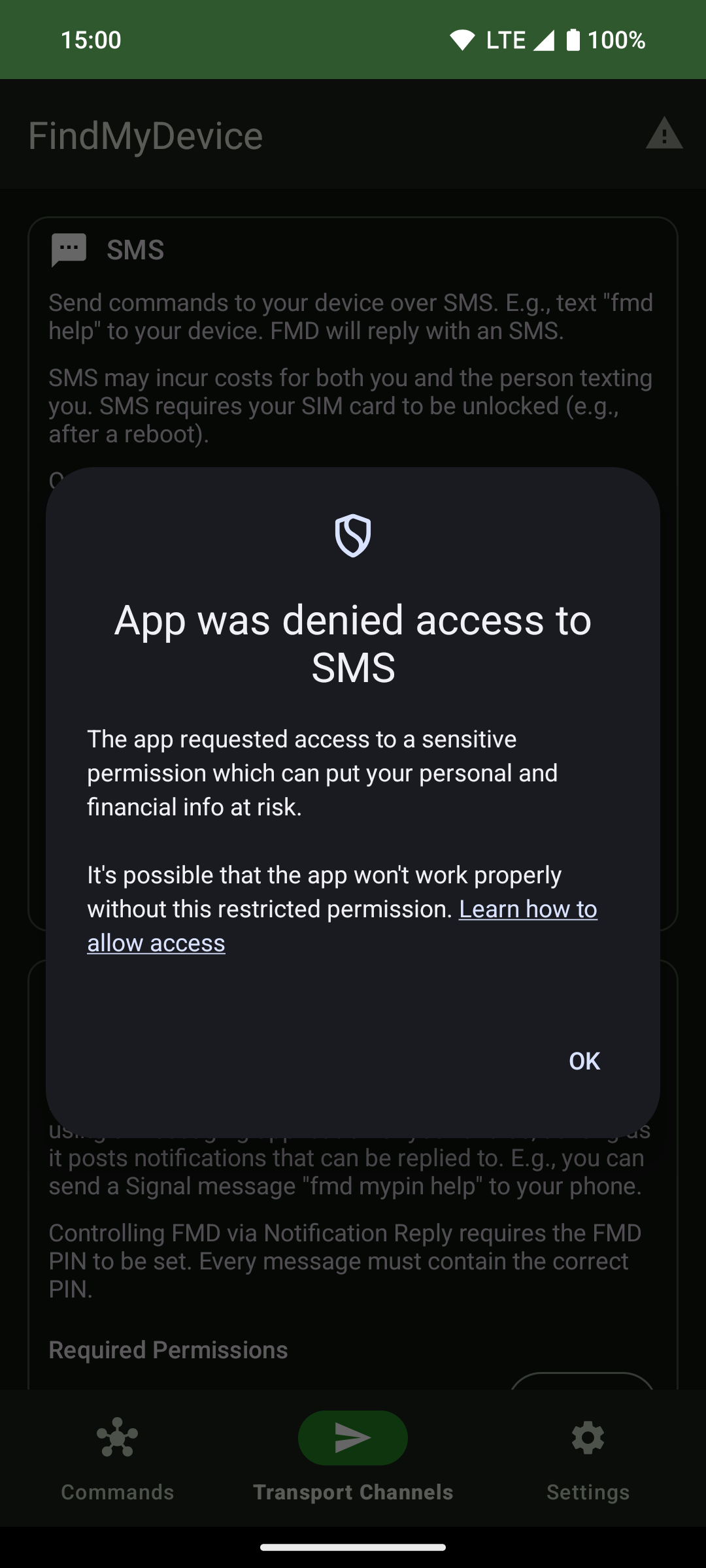 | 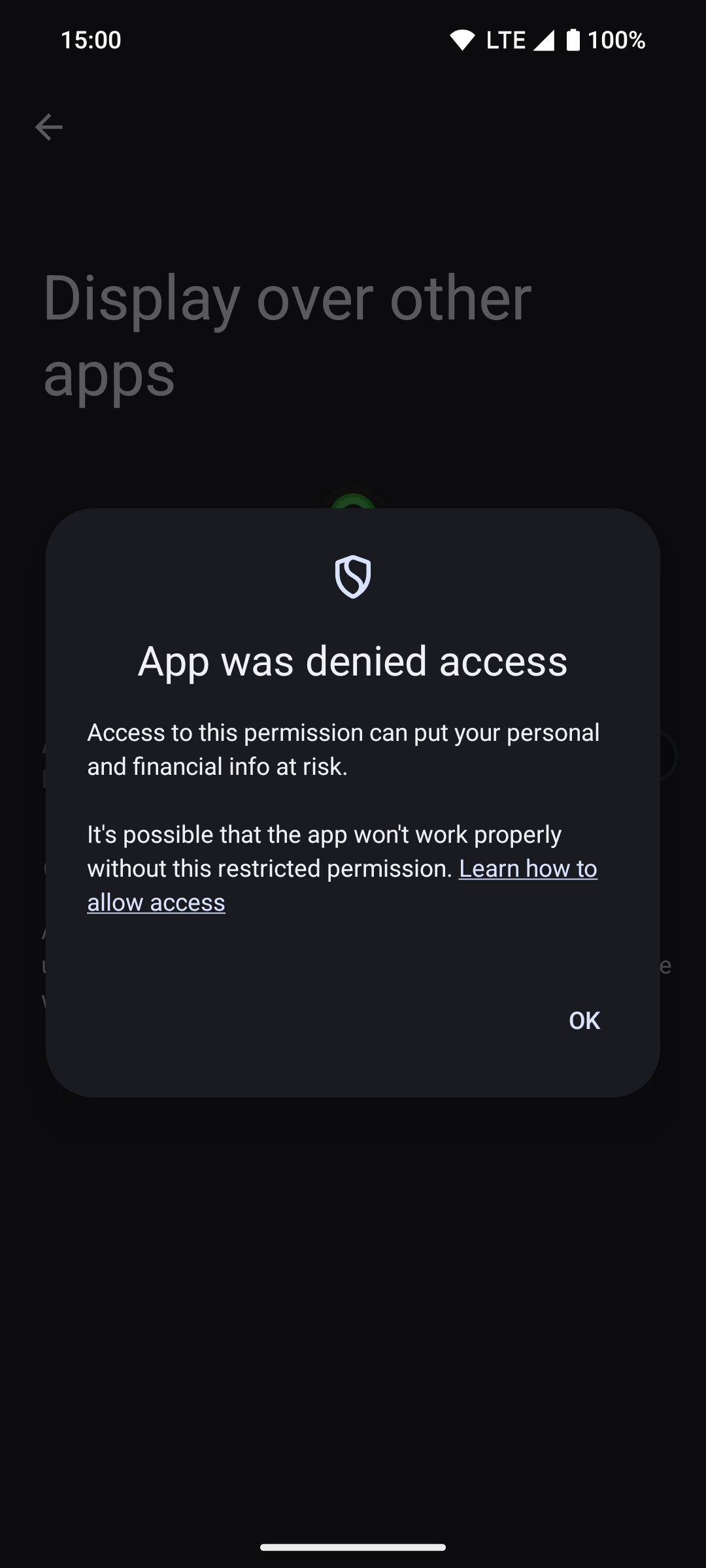 | 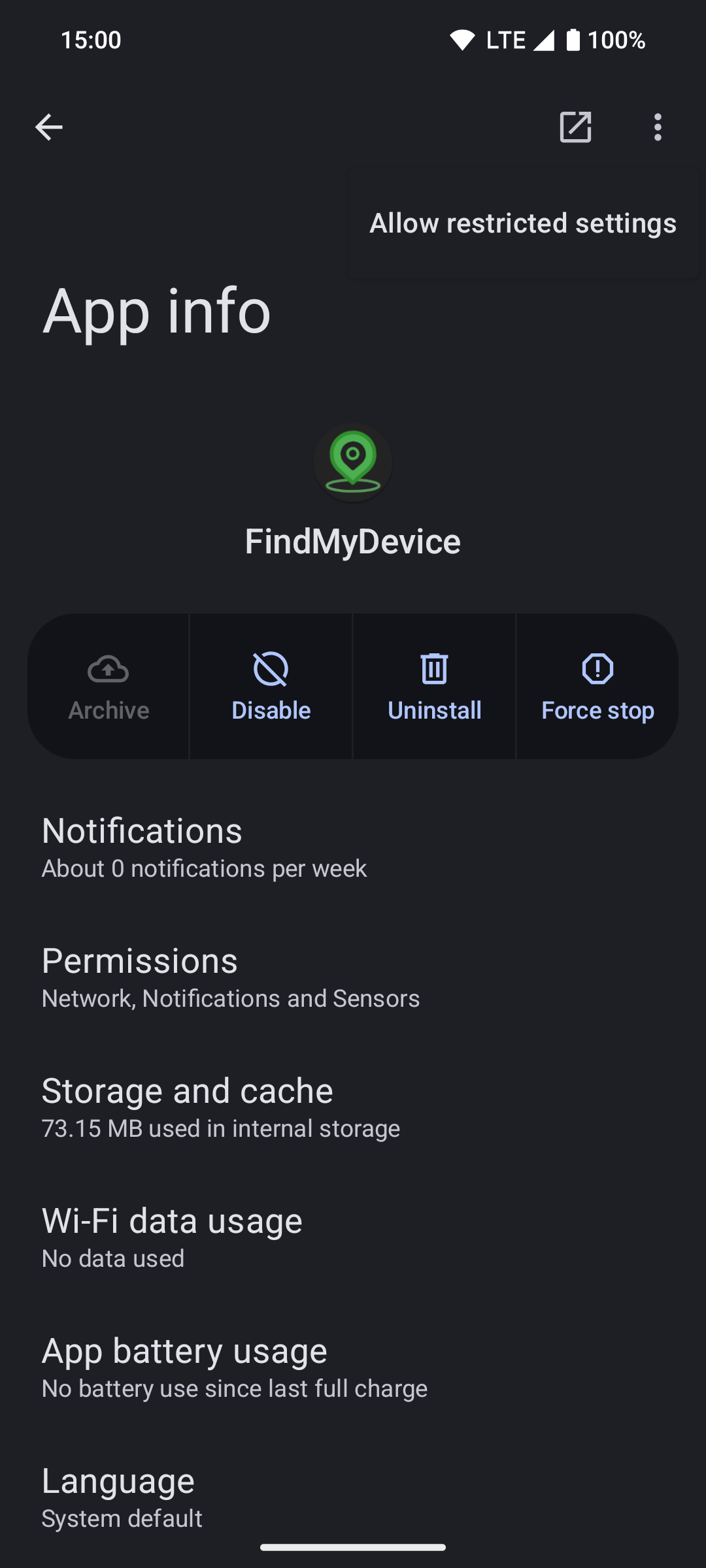 |
The "Learn how to allow access" link in the popup leads to this Google support page, which also explains how to allow restricted settings.
I cannot uninstall/force-stop/etc FMD Android
When FMD Android has been granted "Device Admin" rights, you can no longer:
- Uninstall
- Force stop
- Clear storage
To be able to do the above again, you first need to revoke the "Device Admin" permission from FMD Android. To do so, go to the operating system settings and go to "Security & Privacy" ➞ "More security and privacy" ➞ "Device Admin".
The "Device Admin" permission is only necessary for the lock and delete commands.
If you don't want to use these commands, you don't need to grant this permission.
Which characters are allowed in passwords?
Theoretically, any UTF-8 character should work.
However, we recommend to stick to simple ASCII characters, just to be safe (a-z, A-Z, 0-9, simple symbols like +-!?@#$%&).
If you really want, you can also use spaces. Put them in quotes so that the parser knows where the password starts and ends:
fmd "correct horse battery staple" locate gps
In turn, this means that your password should not contain quotation marks.
Is FMD case-sensitive?
The password is case-sensitive.
Everything else is not case-sensitive. The following command should work:
Fmd lOcAtE
Nevertheless, we recommand to keep everything lowercase (except passwords).
The most common situation where case-insensitivity is useful is keyboards that
auto-capitalize the first word, leading to Fmd instead of fmd.