FMD Server API v2

FMD Android 0.17.0 and FMD Server 0.17.0 introduce the new API v2, modernising both the REST API and the end-to-end encryption.
These releases completely rewrite the REST API code and the associated end-to-end encryption code. These changes cover three platforms (Android, web, backend) and touch the heart of FMD Server as a transport channel.
The old API v1 code continues to be available in parallel, for backwards compatibility. It is deprecated and will be removed in a future FMD Android 1.0 and FMD Server 1.0 release.
Motivation: Why rewrite the API?
Why go to such lengths and invest so much time into an internal rewrite?
There are two aspects to this, both of which have their problems that need fixing:
-
REST API:
The existing API v1 has grown over time, with many patches added to it, and no documentation. It can hardly be called "REST" anymore. For example, uploading a location is done by
POST /api/v1/location, getting a location is done viaPUT /api/v1/location. This is confusing for developers. -
Cryptography:
FMD Server aims to be end-to-end encrypted, so that server operators cannot see users' locations or execute commands on users' devices.
The existing cryptography (called the FMD Server Protocol) was designed ad-hoc in the early days of FMD and was never documented or formally analysed. Consequently, the protocol v1 makes certain "interesting" choices, such as using RSA where AES would have been enough, and re-using a single key for both signing and decrypting. More importantly, protocol v1 is vulnerable to an active adversary inserting malicious location data that cannot be distinguished from honest data. (That said, if you care about an actively malicious server, you should not be using a web client.)
What's new in API v2?
Doing a redesign from scratch allowed us to implement a number of improvements:
-
REST API:
- Streamlined the API endpoints and made them more REST-like. GET, POST, DELETE are now all used in a sensible way.
- Proper API specification using OpenAPI, with a Swagger UI to explore it.
The UI is hosted on every server at
/swagger-ui, for example, https://server-edge.fmd-foss.org/swagger-ui. - New feature: server caches a list of pending commands (not just the latest one)
- New feature: server caches a list of server event messages, such as "account locked due to failed login attempts" (not just the latest one)
-
Cryptography
- FMD Server Protocol v2 with modern algorithms and good design patterns (such as context binding and key separation)
- Fixed the known vulnerabilities (these only apply to an actively malicious server, not a passive one)
- Formal documentation of the protocol
Additionally, both the REST API v2 and the FMD Server Protocol v2 have been made extensible by being generic over the data type. Currently, "location" and "picture" are the only data types. But the new design makes it possible to add additional data types, such as "Bluetooth scan" or "free text".
The REST API v2 and the FMD Server Protocol v2 are tightly coupled. Accounts either use v1 for both or v2 for both, but not a mix of them.
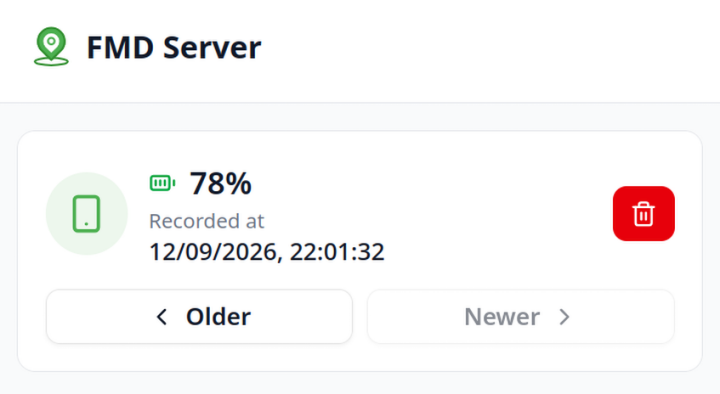
Per-item deletion
Using the new API v2, we implemented a long-requested feature: per-item deletion. Previously, you could not delete individual locations or pictures (only all of them). Now you can delete any given location or picture, while keeping the rest.
This feature is only available for accounts using API v2. See below for how to migrate your account from v1 to v2.
What changes for developers
If you are developing a custom client or server for the FMD Server ecosystem, you need to implement API v2. API v1 is deprecated and will be removed in FMD Android/Server 1.0!
The following resources are available:
- The OpenAPI specification YAML, describing the REST API
- The FMD Server Protocol specification, describing the end-to-end encryption
- The FMD Android and FMD Server source code
If you have questions, please ask in the Development room in the Matrix space.
What changes for server operators
Initially: nothing. These changes are fully backwards compatible. You can update your self-hosted server at your own pace, even if your users are already on FMD Android 0.17.0.
Since these changes are rather big, we recommend that you:
- Take a backup of your SQLite database file before upgrading.
- Test the upgrade and all user-facing functionality in a staging environment before upgrading your production instance.
For the hosted environment, we will do the usual staged rollout. The "cutting edge" server (https://server-edge.fmd-foss.org) will be upgraded immediately. The stable server (https://server.fmd-foss.org/) will be updated a few weeks from now, if no critical issues are found.
What changes for users
Initially: nothing. These changes are fully backwards compatible. It is safe to upgrade FMD Android to 0.17.0, even if your server has not yet upgraded.
You will only benefit from API v2, the modern cryptography, and per-item deletion if:
- Both your server and your Android app are upgraded to 0.17.0.
- Your account is using the new cryptography. This is the case if:
- You register a fresh account.
- You step through the migration assistant in the FMD Android settings (in the "FMD Server" section).
Until you migrate your account, it will continue to use API v1.
How to migrate your account to API v2
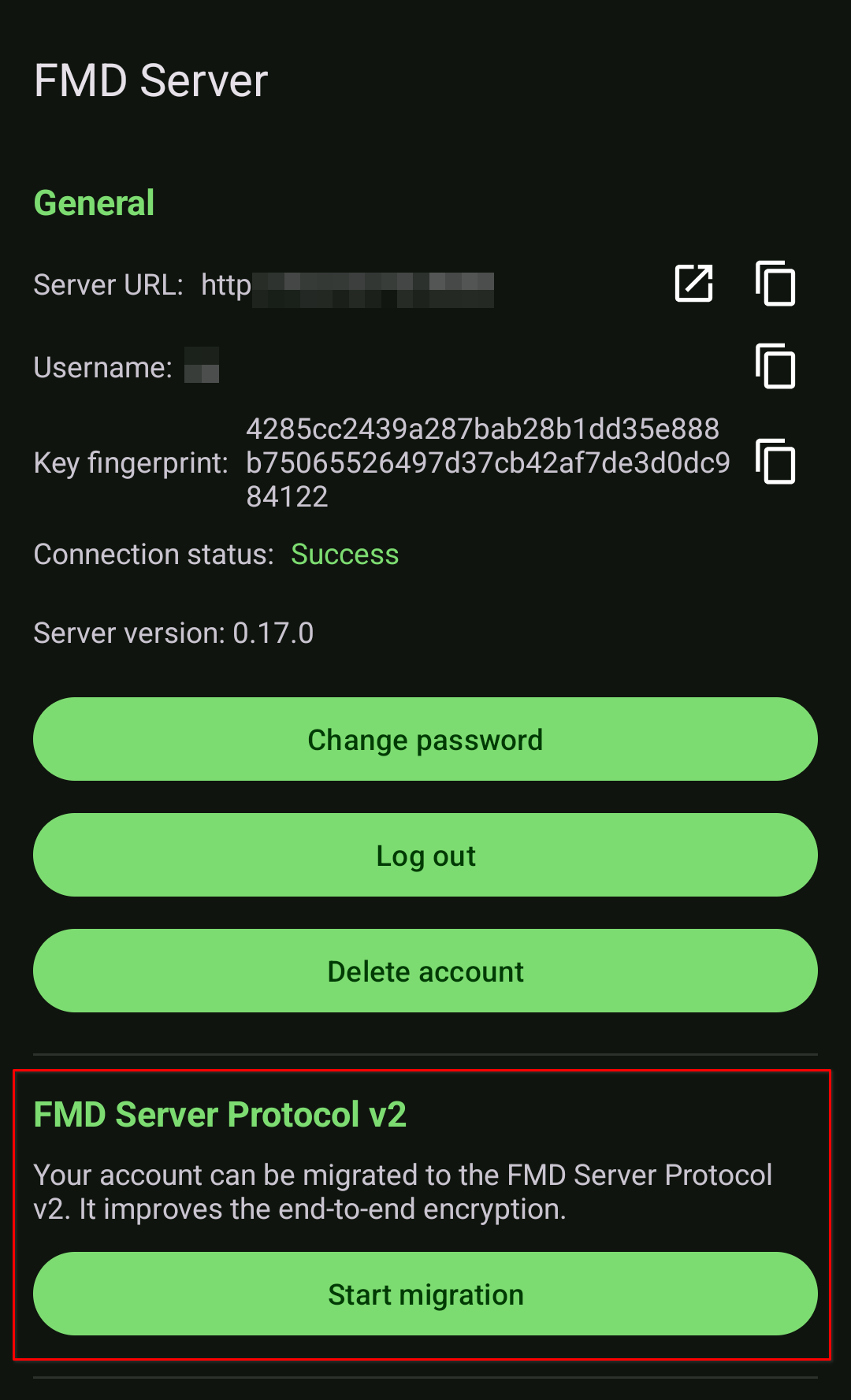
Use the FMD Android app to migrate your account to the FMD Server Protocol v2.
The cleanest migration path is to delete your account and re-register a fresh account with the same username. This guarantees a clean state and that no old artifacts are accidentally left lying around.
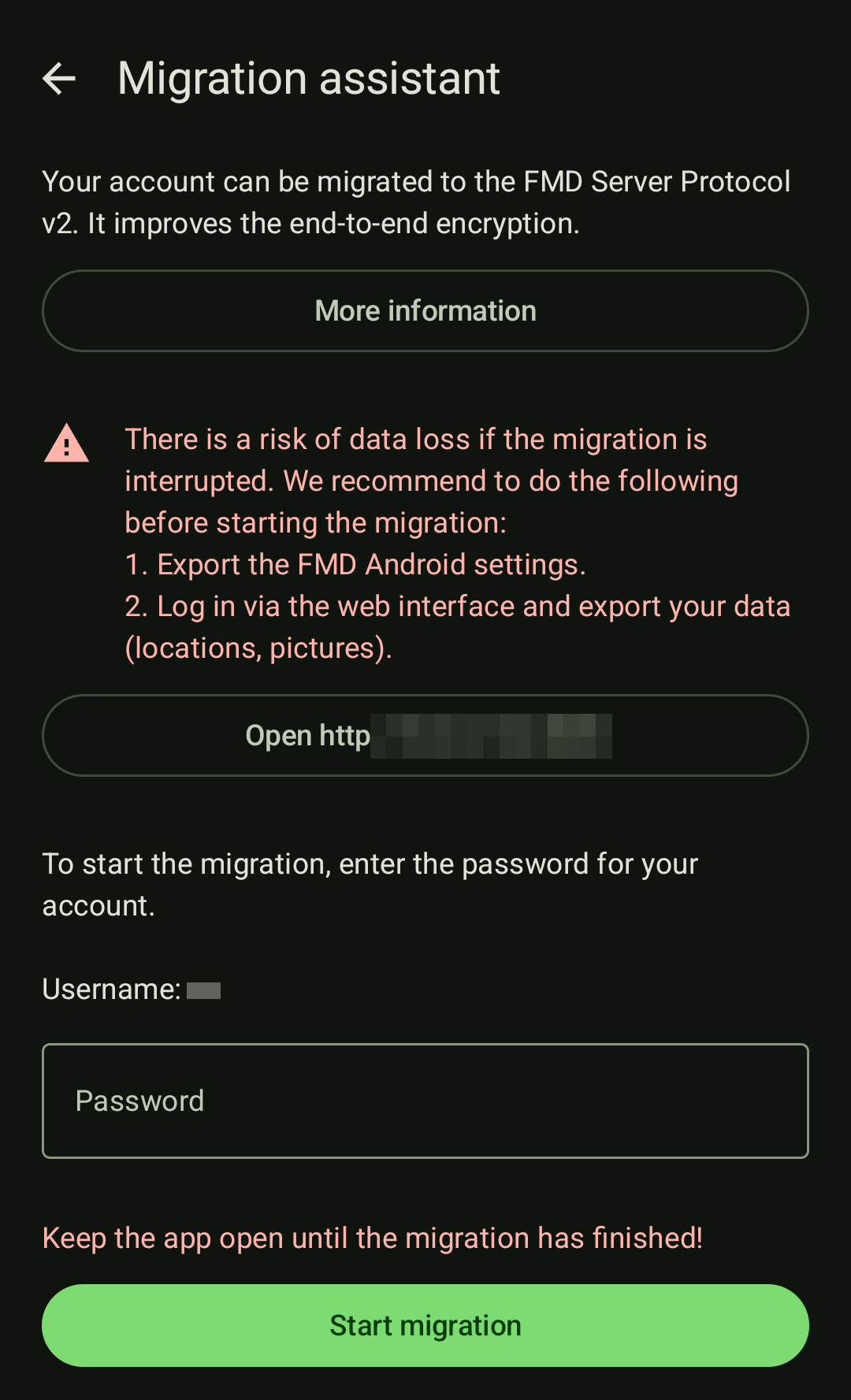
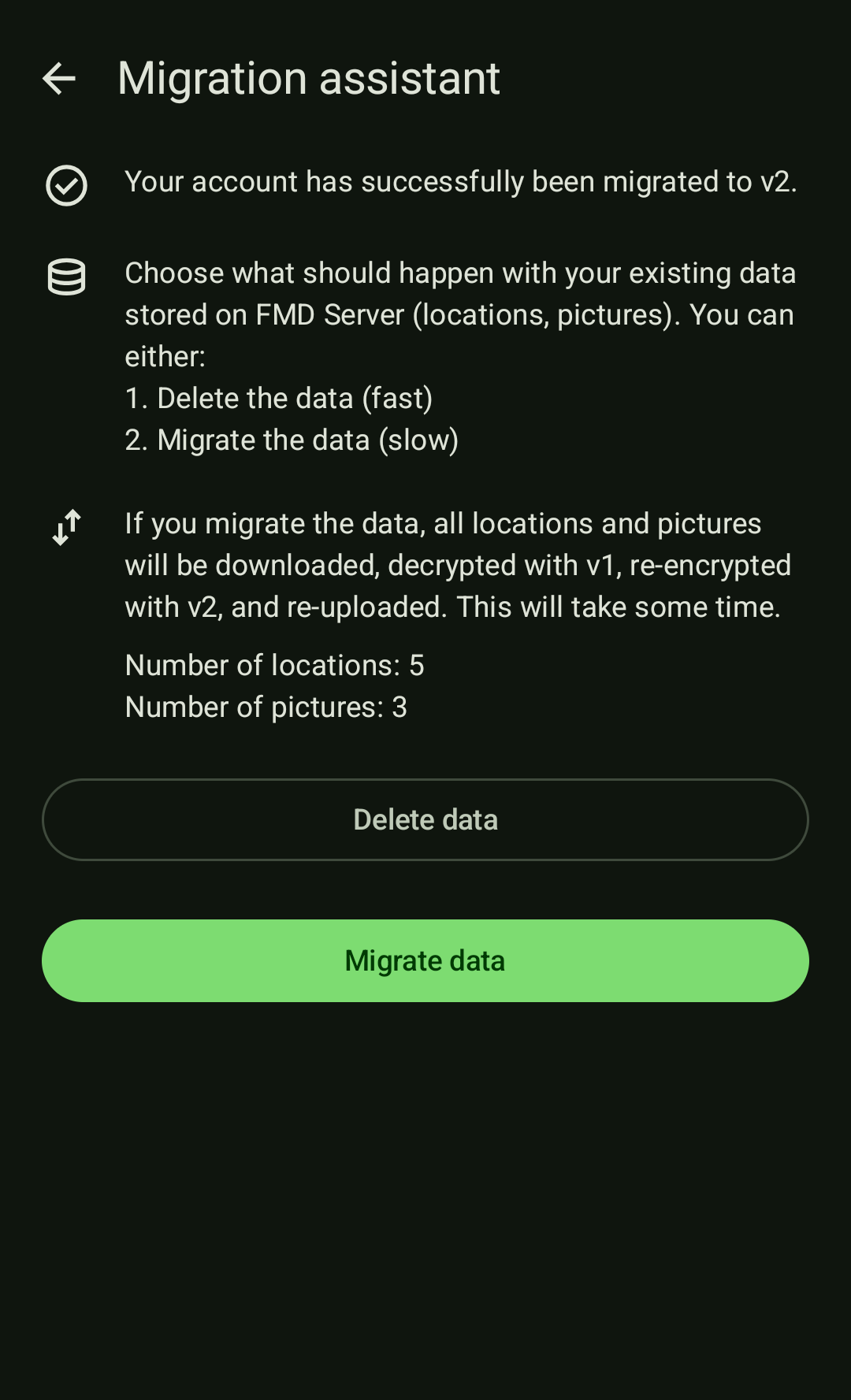
However, deleting your account also deletes your locations and pictures. So if you want to keep them around, please export them beforehand via the web interface. Note that there is currently no way to import them again into FMD Server.
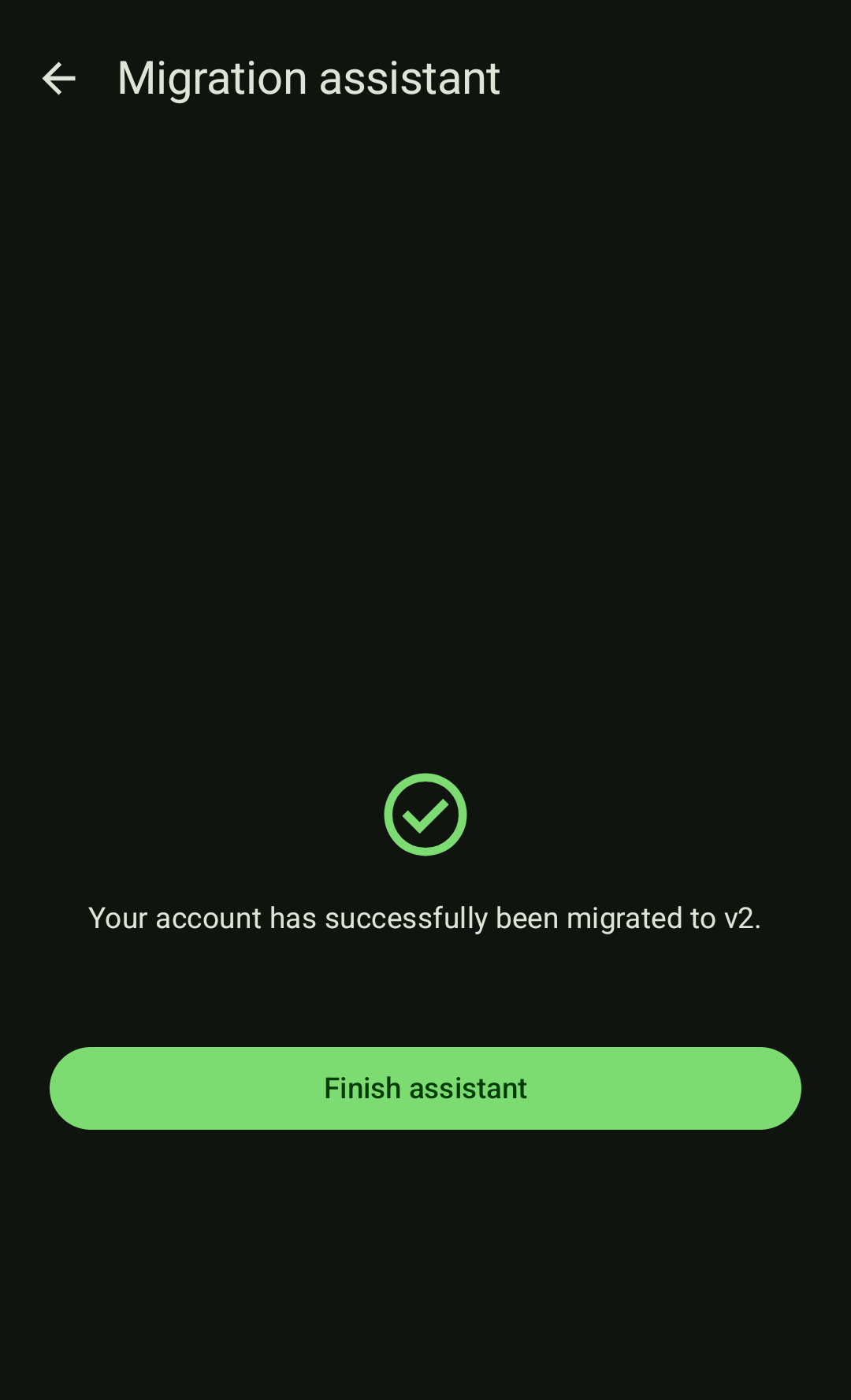
Alternatively, if you want to keep your data on the server, use the in-app migration assistant to migrate your account. It is located in the FMD Server section of the app settings.
| FMD Server settings section | Migration start |
|---|---|
 |  |
| Cryptographic keys migrated, data choice | Migration complete |
|---|---|
 |  |
Initially, users are not actively notified about the migration. Once it proves stable with early adopters, we will release a new app version that actively prompts users to perform the migration.
This is necessary because the future 1.0 release will remove support for the old REST API v1 and FMD Server Protocol v1. Therefore, all users need to migrate their accounts eventually.
Acknowledgements
We thank NLnet for funding this work under the NGI Mobifree grant.
With the REST API and per-item deletion completed, we have finished the last remaining tasks from the grant! 🎉 We are very grateful for NLnet providing the support to make these improvements possible. All of these items bring FMD closer to its 1.0 release.