FMD Android 0.16.0

FMD Android 0.16.0 introduces powerful permissions, allowing device owners to limit which commands phone numbers and passwords can execute.
More passwords
Up until FMD Android 0.15.0, there was a single "FMD PIN". This FMD PIN was used to grant access via phone numbers that were not explicitly allow-listed as well as access by third-party apps through Notification Reply. (Despite the name "PIN", alphabetical characters were allowed.)
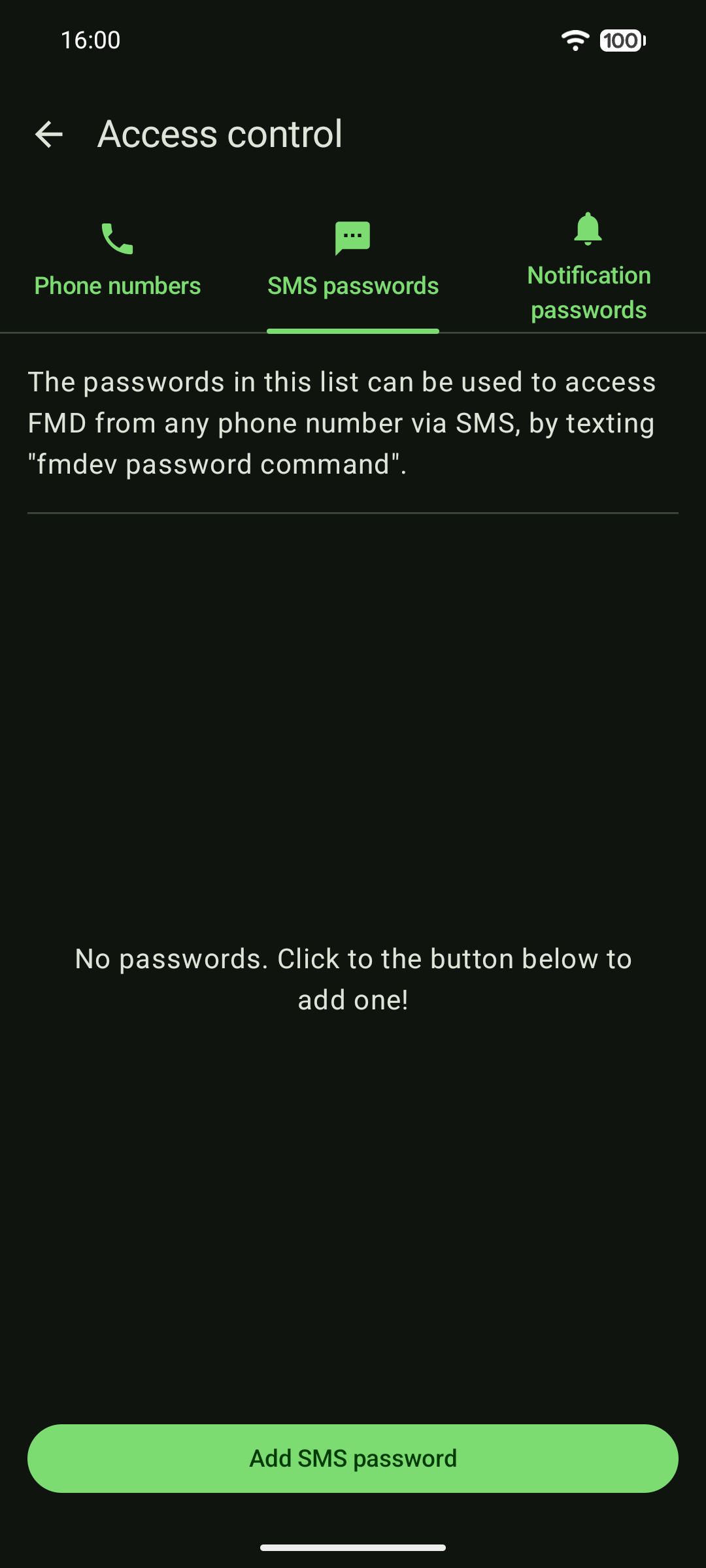
FMD Android 0.16.0 splits this up into SMS passwords and notification passwords. Instead of a single PIN/password for everything, device owners can define multiple passwords that are separate for SMS and for Notification Reply.
FMD permissions
Previously, there was no real way to restrict which commands a phone number, FMD PIN, or FMD Server were allowed to execute. The workaround was to not grant the respective Android permission to the FMD Android app.
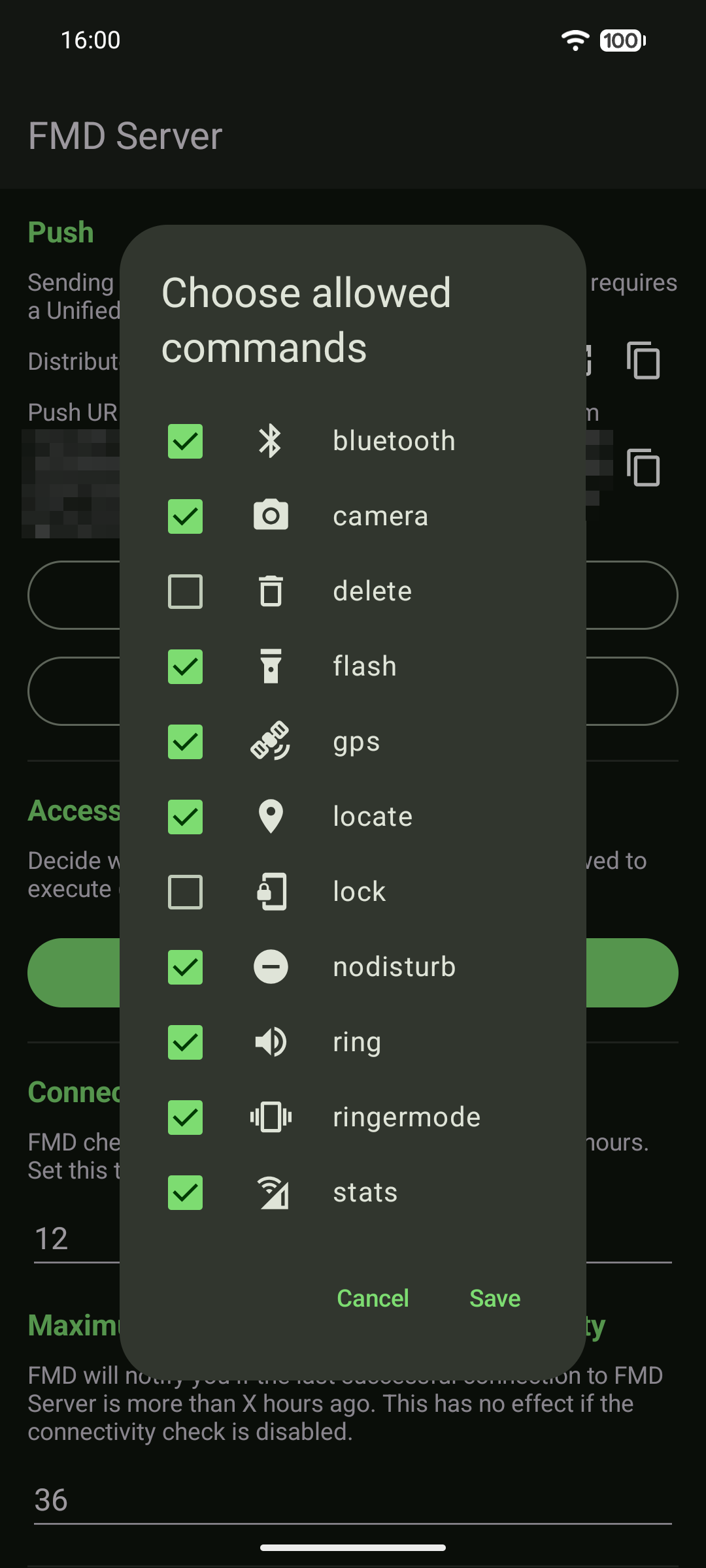
FMD Android 0.16.0 introduces fine-grained FMD permissions. For every phone number, password, and for FMD Server device owners can specify which commands these transport channels are allowed to execute (and which not).
Better control
Together, these two changes give device owners more control and more flexibility about how they want to open up their device to remote access. For example, you could:
- Grant the
locatepermission to your friends' phone numbers, - Grant the
locate,ring,flashpermissions to your partner's phone number, and - Grant the
delete,lockpermissions to a secret SMS password that only you know.
Please see the updated security documentation for more details.
This is how these new features look like:
 |  |
These changes are rolling out gradually. They are now available on the "edge" release channel. The main FMD Android app will receive this update in a bit later.
Acknowledgements
We thank NLnet for funding this work under the NGI Mobifree grant.